

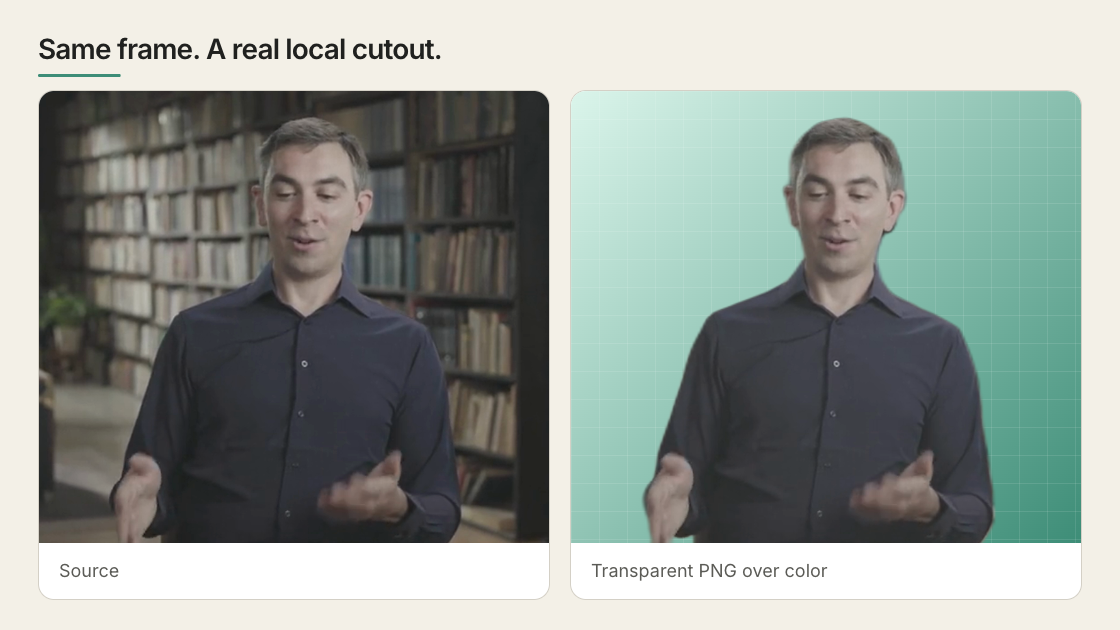
The same real frame before and after the local model. The softer hair and hand edges are the model’s actual limit on this source.
Create the transparent file
Make sure FFmpeg is installed, then run:Use the cutout
Import the transparent file into the project and place it above the background, text, or graphic it should cover. Then check the complete clip, especially hair, hands, fast movement, and the first and last frames. If you animate the subject, animate a wrapper around the video. This keeps the transparent media and the composition’s timing behavior together.Compositing patterns and pitfalls
Keep the media element stable and animate a wrapper when the cutout must move, resize, or reveal. This avoids mixing media playback with the transform that controls the composition. When a cutout and its original background must remain frame-aligned, give both media elements the samedata-start and playback offset. Hide or reveal them
through wrappers instead of mounting one source later. Then scrub the cut point
and check the rendered frame, not only normal playback.
Put something behind the subject
For text-behind-subject or another three-layer effect, you can create both the foreground cutout and an inverse-alpha background plate in one pass:subject.webm above it.
Know when it will work well
The included model is designed for people. It works best with a clear human subject, stable framing, and reasonable contrast from the background. Use another segmentation or masking tool when:- the subject is a product, animal, or other object;
- fine hair crosses a busy background;
- frame-to-frame edge stability must meet high-end VFX standards;
- you need the original background reconstructed after removing the person.
Balance quality and speed
--device auto chooses the best available local provider. Inspect the detected
provider with:
--quality balanced is the default. Use best when the
cutout sits directly over its original source and edge color must match; use
fast for a smaller file over an unrelated background.
Common problems
The CLI reference lists every flag and
supported input.